Automate RFQ distribution, response tracking, and quote comparison.
Create the RFQ once, send private no-login links, see who has responded, remind pending suppliers on supported plans, rank prices L1/L2/L3, and export the result. Use the REST API for ERP, inventory, or agent workflows.
A reusable template is not an automated RFQ workflow.
Buyers still have to track replies, chase non-responders, reconcile quote formats, and build a decision view. When those steps live across inboxes and spreadsheets, the RFQ is digital but the coordination is still manual.
Supplier details, items, quantities, and instructions are copied between email, spreadsheets, and procurement records.
The buyer has to work out who has responded, who has not, and where the latest supplier message lives.
Responses must be reorganized before prices, quantities, lead times, and remarks can be reviewed together.
Automate the repeatable steps. Keep commercial judgment visible.
AuraVMS structures the repeatable steps; your team still evaluates supplier fit, quality, risk, and the final award.
Create
Build the RFQ from reusable supplier and item data, with the same commercial fields for every invitee.
Send
Email each selected supplier a private browser link instead of a separate editable spreadsheet.
Track
See who has responded in the buyer workspace and send reminders on supported plans.
Compare
Review responses side by side with automatic L1/L2/L3 price ranks, then export or place the order.
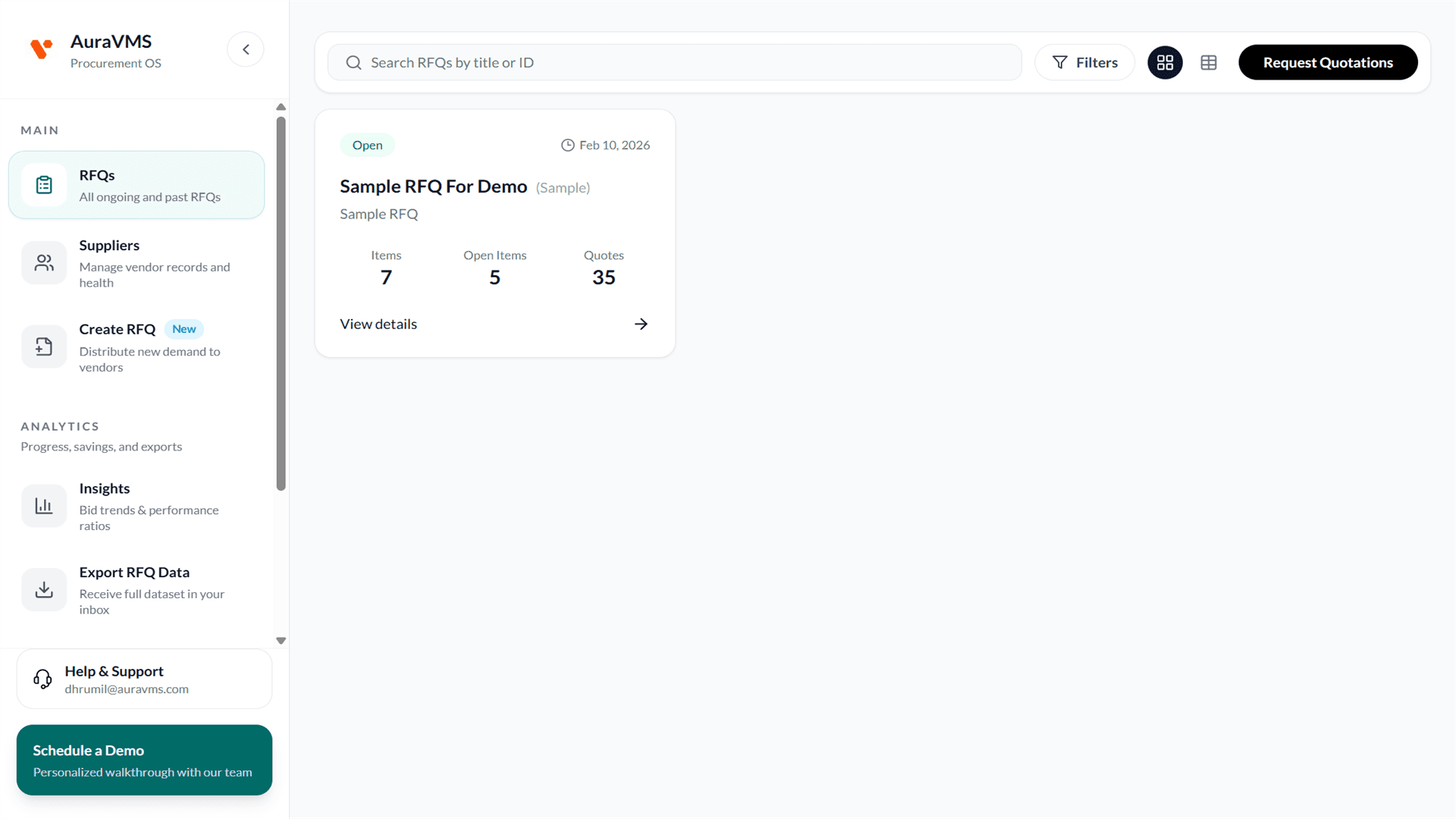
See every RFQ and supplier response status in one dashboard.
The dashboard and RFQ views keep current activity in the buyer workspace, so follow-up does not depend on searching personal inboxes.
- Open and closed RFQs with quote counts
- Responded and non-responsive supplier status
- Structured quote data tied to each RFQ item
- RFQ and response data available through documented API endpoints
Answers before you shortlist.
What does RFQ automation software automate?
AuraVMS structures RFQ creation, supplier distribution, response collection, response tracking, price ranking, and export. Reminders and Excel exports are available on supported plans.
Can AuraVMS send RFQs automatically from an ERP or inventory system?
AuraVMS provides REST API endpoints for RFQ data and actions. An ERP- or stock-level trigger must be built against the system that owns that data and may require custom integration work.
Does AuraVMS automatically choose the winning supplier?
No. AuraVMS ranks quoted prices and presents comparable commercial details. The buyer remains responsible for evaluating quality, fit, risk, and the final award.
Do suppliers need an AuraVMS account?
No. Each invited supplier can open its private response link and submit a quotation without creating an account or downloading an app.