Collect supplier quotations in one consistent format.
Create one RFQ, invite suppliers you already know, and collect price, available quantity, lead time, remarks, and files through private no-login links. Every response arrives in the same structure, ready for comparison.
Email can collect quotations. It cannot standardize them.
When suppliers reply in different files and formats, collection creates another job: checking omissions, reconciling versions, and rebuilding every offer before comparison.
Prices, quantities, lead times, notes, and line items arrive in different columns and attachments.
A unit price may arrive without available quantity, delivery timing, remarks, or the correct supporting file.
Follow-up messages create multiple versions of the same offer and make the latest response difficult to verify.
Define the response before suppliers are invited.
AuraVMS gives every selected supplier the same commercial fields while keeping each quotation private.
Select
Choose the relevant suppliers from your buyer-controlled supplier directory.
Invite
Send each supplier a private response link by email, with WhatsApp available on supported plans.
Respond
Suppliers enter price, quantity, lead time, remarks, and supported attachments in their browser.
Review
Track who has responded and move complete, structured offers into side-by-side comparison.
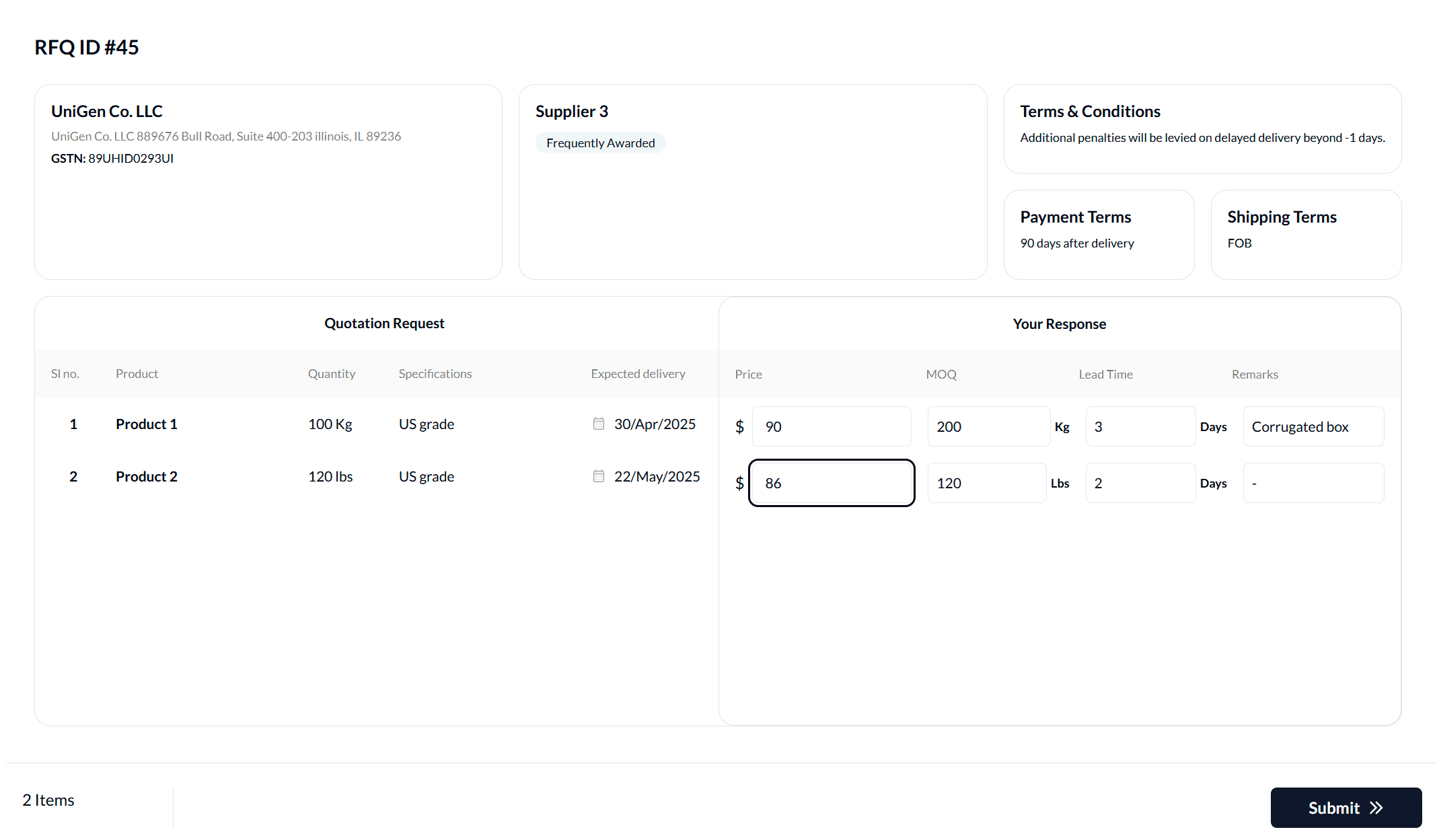
Suppliers quote from a private browser link.
The supplier sees the requested items and buyer instructions, then enters the commercial details needed for comparison without creating an AuraVMS account.
- One private link for each supplier invitation
- Requested items, quantities, dates, and documents in context
- Structured price, quantity, lead-time, and remark fields
- No visibility into competing supplier quotations
Answers before you shortlist.
What is supplier quotation collection software?
Supplier quotation collection software lets a buyer send one structured request to selected suppliers, collect their offers in consistent commercial fields, track response status, and move complete quotations into comparison.
How can I collect supplier quotes without requiring logins?
AuraVMS sends each invited supplier a private browser link. The supplier reviews the request and submits a quotation without creating an account or downloading an app.
Can suppliers attach documents to a quotation?
Supporting attachments are available on supported plans. Buyers can also attach documents that suppliers need in order to prepare an offer.
Can AuraVMS find suppliers for my request?
No. AuraVMS is not a supplier marketplace. It helps you collect and manage quotations from suppliers your organization selects.